 TorchIO
Medical imaging for AI.
An open-source Python library for efficient loading, preprocessing, augmentation, and patch-based sampling of 3D medical images, built on top of PyTorch.
$ pip install torchio
import torchio as tio

dirs = ["sub-01", "sub-02", "sub-03", "sub-04"]

# Lazy: only headers are read until .data is accessed
subjects = [
    tio.Subject(
        t1=tio.ScalarImage(f"{d}/t1.nii.gz"),
        seg=tio.LabelMap(f"{d}/seg.nii.gz"),
    )
    for d in dirs
]

# Composable augmentation pipeline
transform = tio.Compose([
    tio.Flip(flip_probability=0.5),
    tio.Affine(degrees=(-15, 15)),
    tio.Standardize(),
    tio.Noise(std=(0, 0.1)),
])

# Augment a whole batch on the GPU in one call
batch = tio.SubjectsBatch.from_subjects(subjects).to("cuda")
augmented = transform(batch)Everything you need for medical image pipelines
Purpose-built for volumetric data, from a single scan to datasets far larger than memory.
Preprocessing & augmentation
Spatial and intensity transforms designed for 3D medical images, fully composable into reproducible pipelines.
Learn morePatch-based pipelines
Queues, samplers, and aggregators for training and inference on volumes that are too large to fit in memory.
Learn moreLazy loading at scale
Read only the headers, or just the patch you need, from local files, remote URLs, cloud storage, or Zarr stores.
Learn moreBuilt on PyTorch
Drop-in with the PyTorch DataLoader, and a natural fit
alongside MONAI and PyTorch Lightning.
Reproducible & GPU-ready
Deterministic, serializable transforms that run on CPU, CUDA, or Apple MPS, and batch across subjects.
Learn moreOpen source & cited
Apache-2.0 licensed, peer-reviewed, and developed in the open by a friendly community of contributors.
Read the paperRealistic MRI artifacts, one transform away
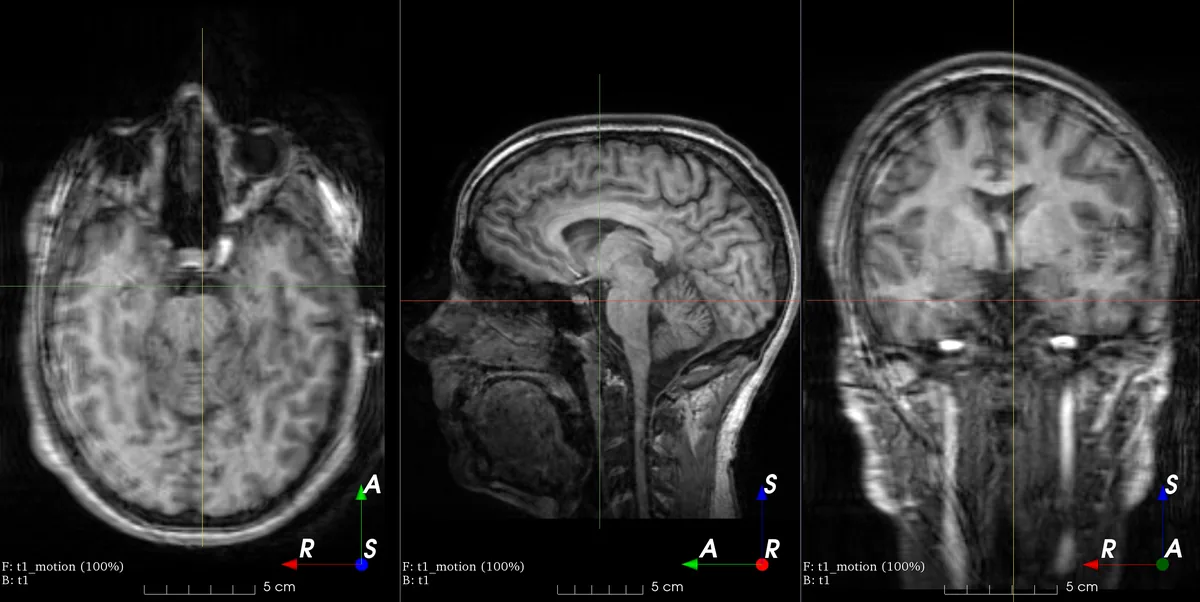
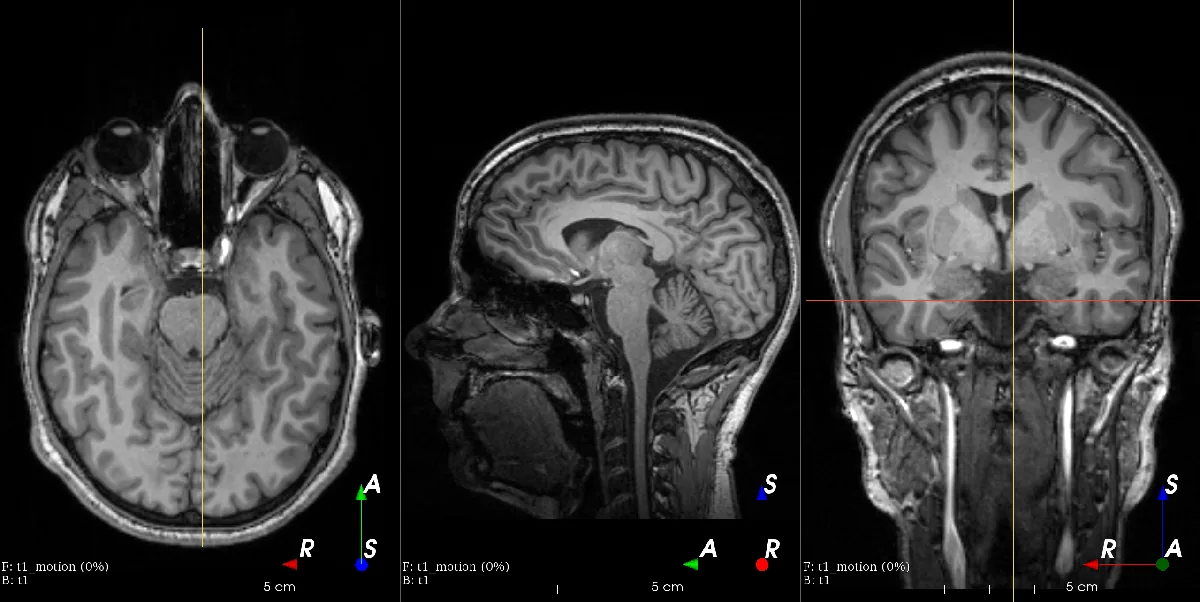
TorchIO ships physics-based augmentations that reproduce real MRI artifacts. Pick one, then move the slider to compare the original scan with the augmented result.
 Original
Augmented
Original
Augmented
tio.Motion()
Simulates patient motion during acquisition, adding blurring and ghosting from inconsistent k-space lines.
Learn how transforms workFrom scan to batch in a few lines
Compose your transforms once, then augment whole batches of subjects on the GPU in a single call.